
Waveshare USB Blaster V2 Download Programming Cable FPGA CPLD EPCS16 EPC1/4 Programmer Debugger for Cyclone & MAX
Utvalda

|
469,99 kr |
Til butik
|
| JäMFöR ALLA WEBBUTIKER (1) | ||
 Beskrivning
Amazon
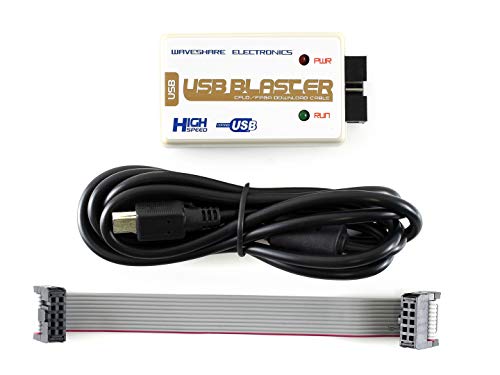
The USB Blaster Download Cable interfaces a USB port on a host computer to an FPGA mounted on a printed circuit board. The cable sends configuration data from the PC to a standard 10-pin header connected to the FPGA. You can use the USB Blaster cable to iteratively download configuration data to a system during prototyping or to program data into the system during production. It surpports FPGA/CPLD devices, Active Serial Configuration Devices, Enhanced Configuration Devices, and supports AS, PS, JTAG three download modes. LED Status:Red LED: Power indicator; Green LED: Signal indicator, the LED is on while downloading/programming Programmer Debugger USB Blaster FPGA JTAG


Jämför webbutiker (1)
 Beskrivning
(1)
Beskrivning
(1)
The USB Blaster Download Cable interfaces a USB port on a host computer to an FPGA mounted on a printed circuit board. The cable sends configuration data from the PC to a standard 10-pin header connected to the FPGA. You can use the USB Blaster cable to iteratively download configuration data to a system during prototyping or to program data into the system during production. It surpports FPGA/CPLD devices, Active Serial Configuration Devices, Enhanced Configuration Devices, and supports AS, PS, JTAG three download modes. LED Status:Red LED: Power indicator; Green LED: Signal indicator, the LED is on while downloading/programming Programmer Debugger USB Blaster FPGA JTAG
 Produktspecifikationer
 Relaterade resultat


